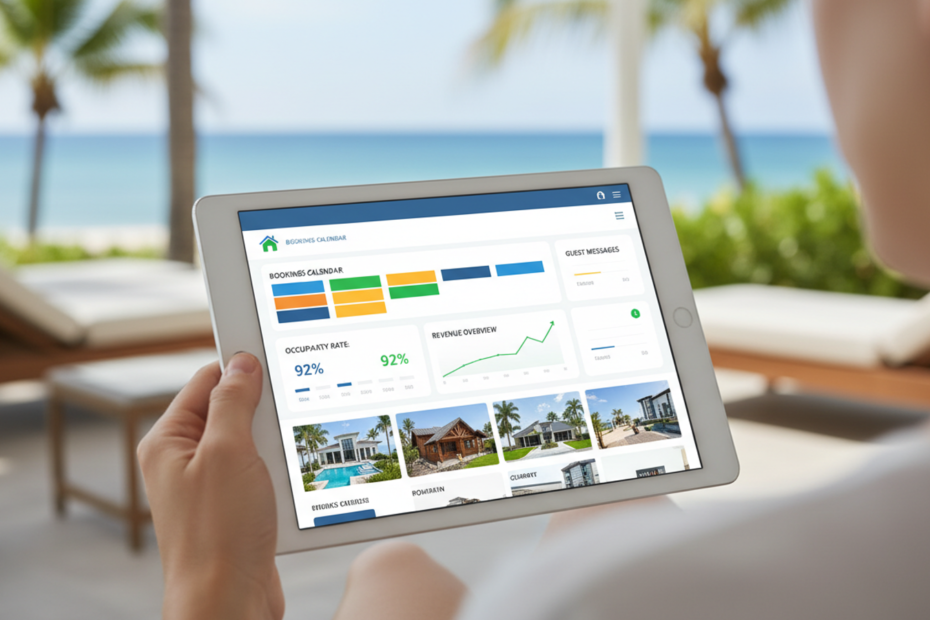
Ask three vacation rental owners what software they use, and you’ll probably get three completely different answers. One runs everything off a spreadsheet and a shared calendar. One pays for an all-in-one platform and barely opens half of it. The third has six small apps stuck together with workarounds and a lot of hope. None of them is necessarily wrong. Vacation rental software is a loose label that covers anything from a simple calendar sync tool to a full system that handles bookings, guest messages, cleaners, payments, and owner payouts. That’s why searching for it can feel so messy. This guide sorts it out in plain terms: what the software actually covers, which pieces matter at different sizes, where owners go wrong when they buy, and how to start without paying for features you won’t touch for another year.
What the label actually covers
At the simplest level, vacation rental software does one job: it keeps your calendar honest. A booking comes in from Airbnb, Booking.com, or your own website, and every other place you list the property finds out quickly, so nobody books the same dates twice. Everything else gets built on top of that. Some products add guest messaging, so check-in details and house rules go out on their own. Some add task lists for cleaners. Some handle payments, deposits, and damage holds. Some produce statements for owners if you manage homes that belong to other people. Others add pricing tools, tax reports, or a booking site that’s yours. Most products do two or three of these well and the rest in a basic way, so the real question isn’t who has the longest feature list. It’s which pieces you’d actually use every week, and how well they hold together.
The core pieces and what each one does
Think of it as five blocks. First, a property management system, which is the home of your reservations, guests, rates, and unit details. Second, a channel manager that keeps availability and prices in step across every platform you sell on. Third, a booking engine on your own website, so guests can book direct and you stop paying commission on every single stay. Fourth, operations: messaging, cleaning schedules, and maintenance tasks. Fifth, money: payments, deposits, accounting and owner statements. A good property management system usually sits in the middle, and the other blocks either plug into it or come built in. If your reservations live in one place and everything else reads from it, you avoid most of the classic problems, like a cleaner turning up for a stay that was cancelled yesterday, or a guest paying a deposit that nobody ever recorded.
What you need at five units, twenty and fifty
At five units, you can get by on very little. A channel manager so the calendars stay in sync, a way to message guests without retyping the same email, and somewhere to keep a basic record of income. You’ll feel it if you skip the first one, because a single double booking can cost more than a year of software. Around twenty units, the manual approach starts to crack. Cleaning coordination turns into a real job, same-day turnovers need tracking, and you want reports that show which homes earn the most and which keep costing you. At fifty units and beyond, you need roles and permissions, owner statements if you manage for others, automatic tasks for cleaners and maintenance, and numbers you can trust without double-checking. The tool that suits you at five rarely suits you at fifty, so pick something that can grow, or at least lets you take your data with you when you move.
The mistakes owners keep making
Buying for the demo is the first one. A polished walkthrough shows a smooth booking, never the messy week when three guests change their dates, and a cleaner cancels. The second mistake is paying for a long list of modules on day one and using a fraction of them. Third is ignoring how the sync actually works. Some tools update availability within seconds, others only every fifteen minutes or so, and that gap is exactly where double bookings come from. Fourth is skipping the question of what happens to your data if you leave. Can you export guests, reservations, and financial records in a format you can actually use? Fifth is forgetting your cleaners and co-hosts, who’ll be in the system as much as you are, and who’ll quietly stop using it if it’s confusing. A short trial with your real listings and the people who’ll use it usually exposes all five before you’ve committed to anything.
How to start without overbuying
Start with your biggest pain, not the biggest product. If double bookings worry you, begin with a reliable channel manager and calendar. If you’re drowning in messages, start with automated guest communication. If your direct bookings are tiny, a simple booking engine on your own website could pay for itself quickly, since a direct booking saves the commission the platforms take. Write down what you do by hand every week, then check which of those jobs a tool could take over. Ask each vendor to walk through your actual scenarios, not a generic demo. Check the contract length, what happens if your unit count changes, and how fast support answers when a calendar goes wrong on a Saturday night. Then pilot with a few units before moving everything. A slow, boring rollout beats a big dramatic switch every time.
Software won’t make a mediocre rental good, but it does take the repetitive, error-prone work off your plate so you can spend your time on guests and the homes themselves. Look for something that keeps your calendar accurate, grows with you, and doesn’t lock you in. Aiosell brings its property management system, channel manager, and booking engine together in one place, so small operators can run reservations, distribution, and direct bookings from the same set of data instead of stitching several tools together. If you’re sizing up options this year, start with your biggest pain point and see how each product handles it.
Add Your Heading Text Here
Lorem ipsum dolor sit amet, consectetur adipiscing elit. Ut elit tellus, luctus nec ullamcorper mattis, pulvinar dapibus leo.