Most conversations about front desk systems focus entirely on the software side — features, pricing, integrations. The hardware side gets treated as an afterthought, usually decided by whatever’s cheapest or whatever the previous system happened to use. That’s a mistake, because the hardware setup shapes the day-to-day experience at the desk just as much as the software does, sometimes more.
The basic hardware decision: fixed terminal or mobile
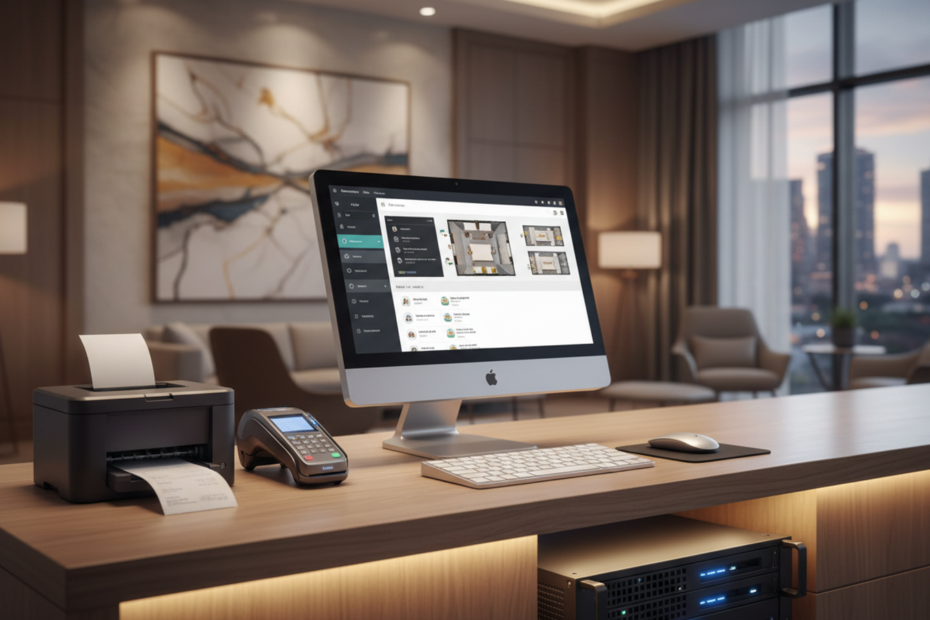
The traditional setup is one or two fixed desktop terminals at the front desk, running whatever hotel PMS the property uses. It’s reliable, it’s familiar, and it’s genuinely fine for a lot of properties, especially smaller ones where one terminal handles everything without a queue forming.
The alternative, which has gotten a lot more common, is tablets or even smartphones that staff can carry around — checking guests in from the lobby instead of making them wait at a fixed counter, or handling a quick request at poolside without walking back to the desk. This isn’t just a nice-to-have anymore for a lot of properties; it’s become a real differentiator in guest experience, especially for boutique hotels trying to avoid feeling like a formal check-in desk at all.
Where mobile hardware actually pays off
Properties with larger lobbies, resort layouts where guests are spread across a big property, or a brand positioning around personalized service tend to get the most value from mobile setups. A small city hotel where everyone walks straight past a compact front desk anyway may not see much benefit from the extra cost.
The tradeoff nobody mentions upfront
Mobile devices need charging, get left places, and occasionally break in ways a bolted-down desktop terminal doesn’t. Budget for replacements and a charging routine, not just the initial purchase.
A smaller detail that trips people up
Make sure whatever tablet or phone you choose has a battery that reasonably survives a full shift, because staff running back to charge mid-shift defeats the purpose of going mobile in the first place.
And one more practical note
Card readers that pair with mobile devices need their own battery management too — it’s an easy thing to forget until someone’s mid-checkout with a dead reader.
Payment hardware is its own decision entirely
Card readers, whether fixed at the desk or portable for mobile check-in, need to actually integrate with your property management system so payments post directly to the guest folio without manual re-entry. A reader that works fine on its own but doesn’t talk to your PMS just creates a reconciliation headache at the end of every shift, which defeats a lot of the point of having modern hardware at all.
Internet reliability should drive part of this decision
If your property has occasionally spotty internet, that affects both software and hardware choices. Cloud-based systems generally need a stable connection, and mobile devices relying on WiFi throughout a property are especially exposed if coverage is weak in certain areas — a resort with thick walls or spread-out buildings is a common place this becomes a real problem rather than a theoretical one.
It’s worth actually walking the property with a phone or tablet before committing to a mobile setup, checking signal strength in the areas where staff would realistically be using it — the far end of a garden, a basement parking check-in point, upper floors of an older building with thick concrete. A vendor demo in a well-connected office doesn’t tell you anything about how the device will behave in the actual spots on your property where coverage tends to be weakest.
Printers, key cards, and the smaller hardware pieces
It’s easy to focus entirely on the terminal or tablet and forget the smaller pieces that still need to work together — receipt printers, key card encoders, ID scanners for properties that need them for local registration requirements. Each of these needs to connect cleanly to whatever system you’re running, and compatibility isn’t always guaranteed just because a piece of hardware is popular. It’s worth confirming specifically with your software vendor which printer and key card brands are actually supported, rather than assuming any standard model will work out of the box.
What this actually costs versus what it saves
Mobile hardware costs more upfront than keeping a single fixed terminal, and it’s worth being honest about that rather than assuming it automatically pays for itself. The return shows up more in guest experience and staff flexibility than in a direct line-item saving, so it’s a better fit for properties where that experience genuinely matters to the brand, and a harder sell purely on cost grounds for a budget property where guests just want a quick, functional check-in.
A reasonable way to decide
Start with your actual property layout and guest expectations rather than what looks modern in a vendor’s marketing photos. A compact, efficient front desk with solid fixed hardware might serve a budget city hotel perfectly well. A sprawling resort or a boutique property built around personalized service is a much stronger case for mobile. Either way, the software underneath matters more than the hardware choice itself — a great PMS on a basic desktop will usually beat a mediocre one running on the newest tablets. Aiosell’s PMS runs comfortably on either setup, so the hardware decision can be based on what actually fits your property, not on a limitation of the software underneath it.