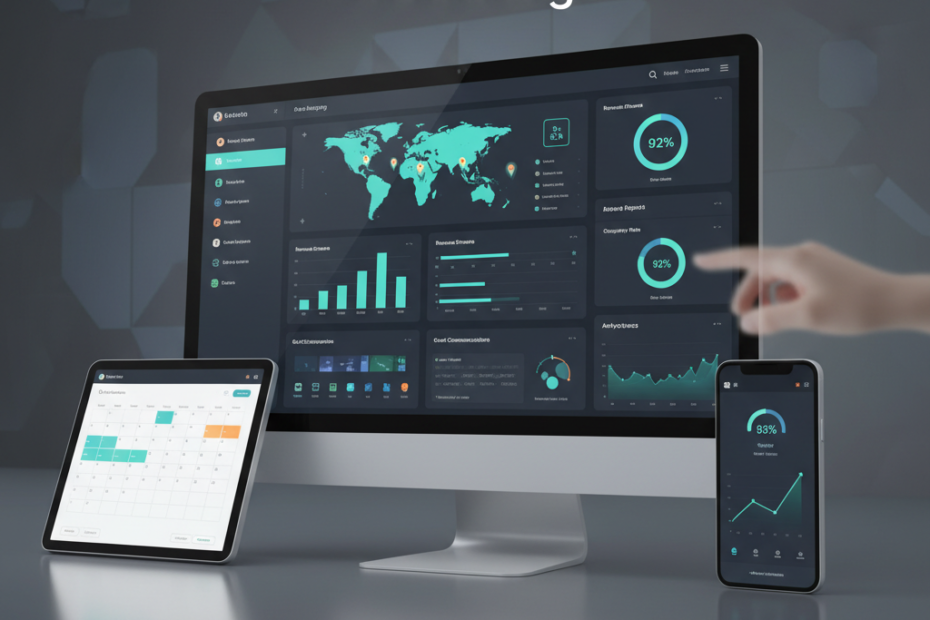
Managing room inventory across multiple booking platforms can quickly become overwhelming for hotel operators. A channel manager dashboard serves as your command center, giving you real-time control over rates, availability, and reservations from one unified interface. This walkthrough will guide you through the essential features and functions that make modern channel management tools indispensable for accommodation providers in 2026.
Understanding Your Channel Manager Dashboard Layout
When you first log into your channel manager dashboard, you’ll typically see a main overview screen that displays critical metrics at a glance. Most systems, including platforms like Aiosell, organize information into distinct sections that help you monitor performance and make quick decisions. The dashboard usually shows your current occupancy rates, pending reservations, and any synchronization alerts that require immediate attention.
The navigation menu sits either on the left side or across the top of your screen. Common sections include Inventory Management, Rate Management, Booking Calendar, Channel Connections, and Reports. Each section serves a specific purpose in your daily operations. Familiarizing yourself with this layout saves valuable time and reduces the risk of errors when updating multiple channels simultaneously.
Connecting and Managing Your Distribution Channels
The channel connections section is where you link your property to online travel agencies (OTAs) and booking platforms. You’ll find options to connect to major platforms like Booking.com, Expedia, Airbnb, and your direct booking engine. The setup process typically requires you to enter your property credentials for each platform and map your room types correctly.
Once connected, the dashboard displays the status of each channel with color-coded indicators. Green usually means the connection is active and syncing properly, while red or yellow alerts signal issues that need your attention. You can toggle channels on or off depending on your distribution strategy. This flexibility allows you to close certain channels during high-demand periods while keeping others open to maximize revenue opportunities.
Monitoring Channel Performance
Most hotel channel management tools include performance metrics for each connected platform. You can see which channels generate the most bookings, track commission costs, and identify underperforming distribution partners. This data helps you make informed decisions about where to focus your marketing efforts and which partnerships deliver the best return on investment.
Managing Rates and Inventory in Real Time
The rate management section gives you centralized control over pricing across all channels. You can set base rates, apply percentage adjustments, or create rate plans for different market segments. When you update a rate in your channel manager dashboard, the change pushes out to all connected platforms within seconds, ensuring price consistency and eliminating the manual work of logging into each OTA separately.
Inventory management works similarly. You set your available room count in one place, and the system automatically updates all channels as bookings come in. This two-way synchronization prevents overbookings, a common problem when managing multiple platforms manually. If a guest books a room on Booking.com, that room immediately becomes unavailable on Expedia, Airbnb, and all other connected channels.
Setting Restrictions and Stay Controls
Advanced channel manager dashboards let you apply restrictions like minimum stay requirements, closed-to-arrival dates, or closed-to-departure rules. These controls help you optimize occupancy during peak periods and prevent gaps in your booking calendar. You can apply these restrictions globally or customize them for specific channels based on your revenue management strategy.
Using the Booking Calendar for Daily Operations
The booking calendar provides a visual representation of your reservations across all channels. You can view bookings by day, week, or month, making it easy to spot patterns and identify opportunities. Color coding typically distinguishes between different room types, booking sources, and reservation statuses (confirmed, pending, or checked in).
Clicking on individual bookings reveals detailed guest information, payment status, and special requests. You can modify reservations, process cancellations, or add notes directly from the calendar view. This centralized approach streamlines your front desk operations and ensures your team has access to complete booking information regardless of which channel the guest used to book.
Generating Reports and Analytics
The reporting section transforms raw booking data into actionable insights. Standard reports include occupancy trends, revenue by channel, average daily rate (ADR), and revenue per available room (RevPAR). You can typically customize date ranges, filter by room type, and export data for further analysis in spreadsheet software.
Regular review of these reports helps you identify seasonal patterns, evaluate pricing strategies, and measure the impact of promotional campaigns. Many channel manager demo sessions highlight reporting capabilities because they directly impact your ability to make data-driven decisions that improve profitability.
Troubleshooting Common Dashboard Issues
Even the most reliable systems occasionally encounter synchronization errors or connectivity issues. Your dashboard will display warning messages when problems occur. Common issues include API connection failures, mapping errors where room types don’t match correctly, or rate parity violations flagged by OTAs.
Most platforms include a support or help section within the dashboard where you can access troubleshooting guides, contact technical support, or submit tickets for unresolved issues. Learning how to use channel manager tools effectively includes knowing how to quickly identify and resolve these technical problems before they impact your bookings or guest experience.
Best Practices for Dashboard Management
Check your dashboard at least twice daily, ideally in the morning and evening, to catch any overnight bookings or system alerts. Set up email or mobile notifications for new reservations and critical errors so you can respond promptly even when away from your desk. Regular monitoring prevents small issues from escalating into revenue losses or guest satisfaction problems.
Keep your rate and inventory information current. Outdated availability or incorrect pricing damages your reputation with OTA partners and frustrates potential guests. Schedule time each week to review upcoming periods and adjust rates based on demand forecasts, local events, and competitor pricing. This proactive approach maximizes your revenue potential and keeps your distribution channels healthy and productive.