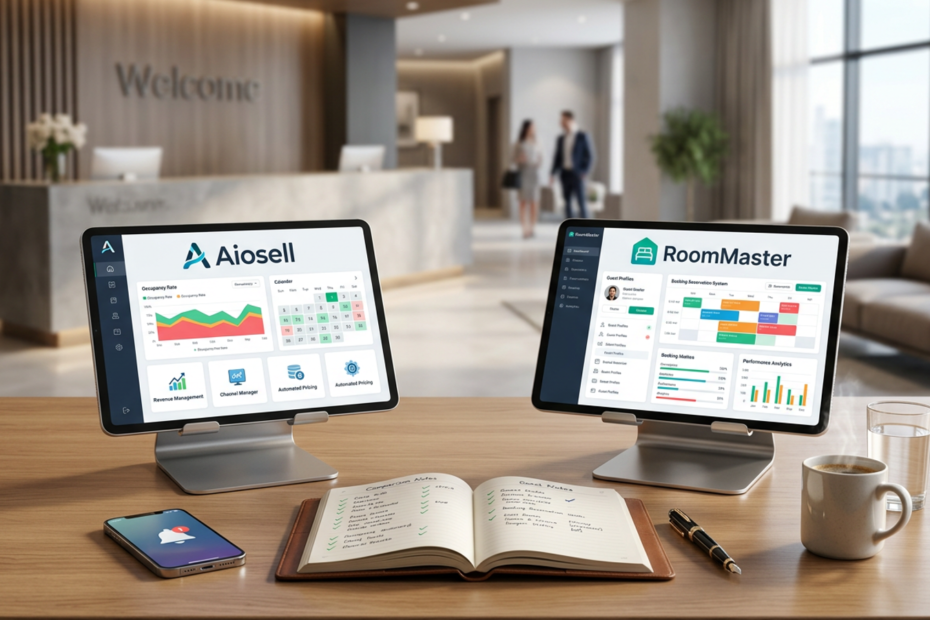
RoomMaster has been around a long time, and a lot of hoteliers know the name. Aiosell is newer, started in 2019, and built around the idea that one system should handle everything. If you’re stuck between them, a feature table won’t get you far, because both lists are long. A process works better, so here are five steps I’d follow if I were buying for my own hotel.
Sources first: RoomMaster details come from public listings (Capterra, TrustRadius and a few comparison sites), and Aiosell details come from aiosell.com. Vendors change plans all the time, so treat this as a way to ask better questions, not the final word.
Step 1: Write down what you can’t live without
Before opening any website, list your must-haves, the things that would stop you operating if they broke. For most hotels that’s reservations, OTA sync, billing, housekeeping status and daily reports. Then add a second list for next year, maybe a POS, dynamic pricing or a second property.
RoomMaster, made by InnQuest (a Valsoft company in Tampa), says it supports over 5,500 properties and offers PMS, booking engine, channel manager, POS, revenue tools and CRM. Aiosell lists thirteen products on one login, from PMS to HR and banquets. Both cover a lot, but only your own list tells you which one covers yours.
Rank the items too: must, should, nice. When a salesperson shows you something shiny, check it against the ranking before getting excited. Anything that isn’t on the list is a bonus, not a reason to buy.
Ask the people who’ll actually use it
Get your night auditor and housekeeping supervisor to add to the list. They’ll mention things owners never think about, like how room status updates at midnight or how lost-and-found items get logged. Those small items often decide whether people enjoy the software or work around it.
Step 2: Ask how it’s deployed
TrustRadius describes RoomMaster as available in cloud or on-premise form. On-premise can help if your internet is patchy, but you should ask which version you’re being sold, who handles backups and updates, and what it costs to move later. Aiosell is fully cloud based, so there’s nothing to install and no server in the back office, which also means one less thing to break when the power cuts out.
Also ask about data. If you ever leave, can you export your guest list and booking history in a normal file, and how long does the vendor keep it afterwards? It’s an awkward thing to bring up on a sales call, but it’s far more awkward to discover the answer later.
The internet question
Cloud means you need decent internet. Test the connection at the front desk during peak hours, not just in the manager’s office, and ask each vendor what happens when it drops for an hour. Their answers tell you a lot about how they think about hotels outside big cities.
Step 3: Check the channel connections
RoomMaster’s own description mentions connections to 155+ OTAs. Aiosell has a built-in hotel channel manager that links with Booking.com, Expedia, Agoda and Airbnb according to its reviewers. The number alone doesn’t mean much. What matters is whether the OTAs you actually sell on are on the list and how quickly changes reach them.
Switching without losing bookings
Take your top five channels and ask each vendor for proof they’re live for hotels like yours. One Capterra reviewer of Aiosell suggested keeping a day or two of buffer when changing channel managers, because OTA integration takes a little time. That’s honest advice for any vendor. Pick a slow week, keep the old system running in parallel for a few days, and compare bookings side by side until you trust the new one.
Step 4: Work out the real cost
Neither pricing page gives you the full picture. RoomMaster asks you to contact the vendor, though a couple of comparison sites say entry pricing starts around $150 a month per property. I couldn’t verify that, so ask them directly. The same sites say card processing fees and chargeback handling sit outside the headline price, so get those in writing.
Aiosell’s pricing is public. The Lite Hotel plan with channel manager, PMS and booking engine starts at $40 a month for up to 10 rooms, per-room plans like Revenue Pro and Operations Pro scale with size, and setup is a one-time $50.
Put both quotes in one sheet
Lay out monthly cost, setup, extra users, payment fees and support for each, then multiply by 24 months. That’s the number to compare, not the one on the homepage. If a vendor won’t put the numbers in an email, take that as information too.
Step 5: Test support and the switching cost
Capterra reviews of RoomMaster often call it solid and reliable, and one IT manager at a six-hotel chain says they’ve used it for over five years. Comparison sites also mention that some buyers find the interface less modern. Aiosell reviewers praise the easy dashboard and onboarding but criticise the booking engine design. So both have trade-offs, and you should test them yourself.
Ask how long migration takes, whether they import your existing bookings, and how many hours of training your staff gets. Get the training hours in writing, and check that night staff are covered, since most training happens in office hours. Ask each vendor for two references from hotels about your size, and call them. Ask what went wrong in the first month, not just what went well. Then call support on a Saturday and see who answers. If nobody does, you’ve learned something valuable for free.
Before you sign
A good property management system should make daily work feel lighter, not heavier. If you’d like to see how Aiosell handles your real rooms and rates, take the 15-day free trial and run these five steps on it. Then do the same with RoomMaster. Your team’s gut feeling after one week is worth more than any comparison, including this one.
If you do move to Aiosell, or anywhere else, avoid switching in peak season. Pick a quiet stretch, let your staff practice on test bookings first, and keep a paper backup of the next few days’ arrivals just in case.