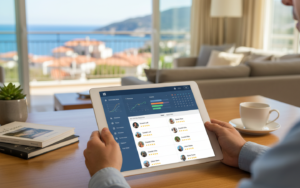
It’s 11pm on a Tuesday. A guest messages to say the wifi isn’t working, the cleaner texts that tomorrow’s check-in wants to come early, and a new booking just landed on a platform you haven’t opened since Sunday. Running short-term rentals is a lot of small moments like that, repeating across every unit, every week. Software doesn’t remove them, but the right setup turns most of them from emergencies into routine. This playbook walks through a rental stay from the first inquiry to the final payout, and shows what to automate, what to keep personal and where operators usually lose time or money. Treat it as a checklist you can compare against your own routine. If you find three or four steps you’re still doing by hand every week, that’s probably where short-term rental software will pay for itself first.
Before the booking: inquiries and availability
The first job is making sure what guests see is true. Your calendar needs to be right on every platform, and your prices should make sense for the dates being asked about. A channel manager that updates availability within minutes across your listings stops the most expensive mistake in the business, the double booking. Set minimum nights by season so you don’t end up with a lonely one-night gap between two longer stays, and add sensible gap rules around check-in days if your cleaner needs a day off. Reply to inquiries quickly, because speed matters on most platforms, and use saved replies for the common questions. Take direct inquiries seriously too. A simple booking engine on your own site lets returning guests book without the platform fee, and those are the easiest bookings you’ll ever win.
Between booking and arrival
The gap between confirmation and check-in is where good automation earns its keep. Set up a short sequence. An immediate confirmation with the key details. A message a week before with directions and house rules. A message two days before with the door code or check-in steps. Add a deposit or balance reminder if you take payments in stages. Each of these should fire on its own, based on the booking date, with the guest’s name and the right property details filled in. Keep one human touch, maybe a line about the area or a restaurant tip, since guests notice when everything feels robotic. If your area requires a registration number or guest ID collection, put that step in the sequence as well, so it isn’t something you chase at the last minute. And keep an eye on messages that don’t fit the templates, because those usually need a real person.
Arrival, the stay, and the turnover
Self check-in works well when it’s reliable: a smart lock with a code that’s created per stay, plus clear instructions that include a photo of the entrance. During the stay, guests mostly need quick answers, so a shared inbox where you or your co-host can respond from the same screen saves time. Turnover is where operators win or lose. When a guest checks out, a cleaning task should land automatically with the cleaner, showing how long they have before the next arrival, with a checklist and photos to confirm the work. If the cleaner finds damage or a missing item, they should be able to flag it on the spot. Pair this with your property management system so tasks follow the real booking, including changes and extensions, and not a copy of the calendar from last week.
After the stay: reviews, payouts and numbers
Once the guest leaves, send a short thank-you and ask for a review while the stay is fresh. Respond to reviews quickly and calmly, since future guests read your replies as closely as the reviews themselves. Reconcile payments weekly rather than monthly: what came in, what fees were taken, what’s still owed. If you manage homes for owners, produce statements from the same data, so the numbers match what the owner sees on their booking platform. Then look at the figures for each unit. Occupancy, average nightly rate, revenue per available night, and cost per turnover tell you which properties are working and which are quietly draining your time. Check cancellations too, since a pattern there usually points to a pricing or policy problem rather than bad luck. A monthly one-hour review is plenty to spot drift before it becomes expensive.
Where playbooks usually break down
Most of the trouble comes from automation nobody checks. A message template with the wrong door code goes to the wrong guest, or a reminder keeps firing after the stay was cancelled. After you change any template, send a test to yourself and read it as the guest would. The second common failure is a cleaner who isn’t told about a change, so make sure date changes flow to the task automatically, and confirm it once with a real booking. Third, there’s no plan for when technology fails. Keep a short break-glass list for every property: a spare key location, a neighbour or local contact, the number of a handyman, and a wifi reset guide you can paste into a message. Last, don’t ignore patterns. If the same property gets the same complaint three times, fix the property, not the template. Keep a simple log of issues per unit and look at it monthly. The repeat offenders are almost always the cheapest problems to solve once you can see them.
Run your own routine against this playbook and note where you’re still copying and pasting. Those spots are your shortlist for automation, and you don’t need to fix all of them at once. Pick the one that costs you the most time and start there. Aiosell’s property management system, channel manager and booking engine work together, so reservations, calendars, and direct bookings all come from one set of data, and the manual steps in this playbook shrink down to the ones that genuinely need a person.