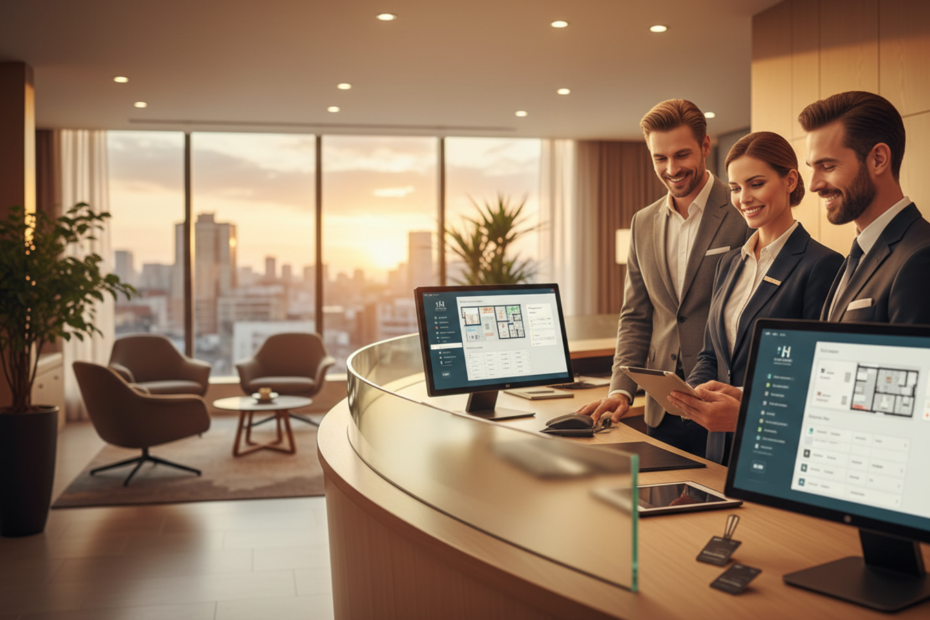
A lot of front desk software gets designed and marketed with big hotel chains in mind, then sold downstream to properties with twenty or thirty rooms who don’t need half of what’s being pitched. If you’re running a small or mid-size hotel, the priorities really are different, and it’s worth being clear about that instead of getting talked into enterprise-level complexity you’ll never actually use.
You probably don’t need a dedicated person running the software
At a big chain, there’s often someone whose whole job is managing the PMS — configuring rate plans, running reports, troubleshooting. At a small property, that’s usually the GM, squeezed in between a dozen other responsibilities. This changes what “good” software looks like. It’s not about having the most configuration options; it’s about whether someone without specialized training can actually run the front desk confidently after a short onboarding.
What this means practically
Look for software that handles the common cases well without needing deep customization — standard check-in and check-out, simple rate plans, straightforward reporting — rather than something built for complex scenarios you’ll rarely encounter at this size.
A quick test worth running during a demo
Ask the vendor to show a new staff member performing a full check-in, with no prior training, during the demo itself. If it takes longer than a couple of minutes or needs a lot of hand-holding, that’s a preview of what training every new hire will actually look like.
What to watch for specifically
Pay attention to how many screens or clicks it takes to complete a basic check-in. Three clicks versus twelve clicks doesn’t sound like much until it’s happening forty times a day during a busy season.
And one level under that
Also notice whether the system gives clear error messages when something’s entered wrong, or just silently fails — the second one is far more frustrating for a less experienced staff member working the desk alone.
Cost structure matters more at this size than at a big chain
A hundred-room chain property can absorb a software cost that would be a meaningful percentage of revenue for a thirty-room independent. It’s worth specifically asking what the total monthly cost looks like at your actual room count, not a generic quote, and whether there are hidden fees for things like additional user logins, SMS notifications, or payment processing that get added on top of the base price.
You still need the full picture, just without the bloat
Just because you’re small doesn’t mean you can skip the essentials. You still need a working property management system, a connection to OTAs through a channel manager, and some way to take direct bookings through your own website. The difference at SMB scale is that these need to be simple and affordable rather than deeply configurable, and ideally bundled together rather than bought as separate products from separate vendors, which gets expensive and complicated to manage fast at this size.
Support quality matters even more when you’re small
Big chains often have internal IT support as a backup when something goes wrong. SMB hotels usually don’t — when the system has an issue, the GM is calling the vendor directly, probably during a busy check-in period, and needs a real person who responds quickly. It’s worth asking existing customers specifically how support response times have been in practice, not just what the sales team promises.
It also helps to ask what channels support actually comes through. Phone support during business hours is different from a chat widget that takes a day to respond, and for a small team without backup coverage, that difference matters a lot more than it would at a larger property with an IT department to fall back on in the meantime.
Training time is a real cost, even if it’s not on the invoice
Every hour spent training staff on a new system is an hour not spent on guests, and at a small property there’s often no slack in the schedule to absorb that. It’s worth asking vendors directly how long onboarding typically takes for a property your size, and whether training materials exist in a format staff can actually use — short videos and quick reference guides tend to get used; thick PDF manuals usually don’t.
Growth shouldn’t mean starting over
One thing worth checking before committing to any system: what happens if you add a second property, or grow from twenty rooms to fifty. Some SMB-focused systems hit a ceiling and force a painful migration once you outgrow them. It’s worth asking directly whether the system scales smoothly or whether there’s a point where you’d need to switch vendors entirely, because that switching cost is real and worth avoiding if you can plan around it upfront.
What this comes down to
SMB hotels don’t need the biggest system on the market. They need one that a small, often non-specialist team can run confidently without constant support calls, priced sensibly for their actual size, and connected enough that OTA distribution and direct bookings aren’t a separate manual headache. That combination is harder to find than it should be, mostly because a lot of software gets built chain-first and scaled down awkwardly rather than designed for SMB needs from the start. Aiosell’s pricing and setup are built with exactly this size of property in mind, so a small team can run the front desk, manage channels, and handle bookings without needing a dedicated IT person to keep it all working.