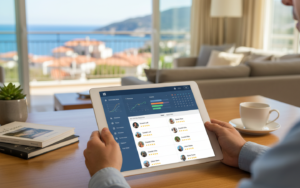
Same weekend, two guests, one house. If you’ve lived through it, you know the sinking feeling, the apologetic phone calls and the refund. A channel manager exists to stop that happening. For vacation rentals it’s probably the single most useful piece of software you can add, because the moment you list on more than one platform, your calendar lives in several places at once and something has to keep them agreeing with each other. This article explains what a channel manager does for vacation rentals, how it differs from a basic calendar link, what to check before choosing one and how it fits with the rest of your setup. It’s written for owners and small operators, so there’s no jargon beyond what you’ll genuinely meet in a demo, and I’ll explain each term the first time it comes up.
What a channel manager actually does
A channel manager sits between your calendar and the platforms you sell on, such as Airbnb, Booking.com and your own website. When a booking arrives on one of them, it blocks those dates on all the others. When you change a price or a minimum stay, it pushes the change out everywhere in one go instead of you logging into four dashboards. Most can also pull reservations into one list, so you see every booking in a single place. The result is a calendar you can trust and a lot less typing. It doesn’t create bookings and it doesn’t set your prices on its own, though some connect to pricing tools. It’s plumbing, and like most plumbing, you only notice it when it fails. That’s why choosing a reliable one matters more than choosing a clever one. If you only list on one platform today but plan to add a second, it’s still sensible to set this up early, since connecting a calendar before the first double booking is a lot calmer than connecting it afterwards.
Why double bookings happen
Most double bookings come from delay. With a plain calendar link, iCal, each platform checks the other’s calendar every so often, from every fifteen minutes to several hours depending on the platform. A booking made inside that window isn’t seen in time. A direct connection, through a platform’s approved interface, usually updates in minutes and goes both ways, and it can carry prices, minimum stays and reservation details too, not just blocked dates. Ask any vendor which of your platforms they connect to directly and which they handle through calendar links, since the answer can differ by platform. Also ask what happens if a connection breaks. You want an alert, not silence. A good channel manager tells you when something fails, because finding out after a double booking is the worst possible way to learn about it.
Rates, restrictions and the platform fee problem
Dates are only half of it. A good channel manager also syncs rates and restrictions, like minimum nights, closed-to-arrival days and gaps around turnovers. Check whether you can set different prices per platform, since some platforms charge higher fees and many owners add a small markup there to protect their margin. Check whether a minimum stay set once applies everywhere, because a two-night rule on one platform and none on another gives you exactly the short bookings you were trying to avoid. Same-day turnovers need care too. If your cleaner needs a few hours between a checkout and the next arrival, the system should handle that without you blocking dates by hand. These details sound small, but they decide whether the tool saves you effort or just moves the effort somewhere else, so ask to see each one working.
What to check before you choose
Make a short checklist. Which platforms does it connect to, and how? Does it sync availability, rates, minimum nights and restrictions, or only dates? Can you map one unit to several listings correctly? How does it deal with a booking that changes dates or gets cancelled? What does it cost per unit, and is there an extra charge for each connected platform? Can you see a log of every sync, so if something looks wrong you can trace it? Then test it with a real calendar during the trial. Block a date on one platform and time how long the others take to reflect it, a few times, at different hours. Try a cancellation and a date change as well, since those are the moments when weaker tools show their gaps, and note how clearly the system tells you what happened. Also ask how long it takes to add a new property, because a tool that’s quick for one unit and slow for ten will get in the way as you grow.
How it fits with your property management system
A channel manager works best when it’s connected to a property management system that holds your bookings, guests, rates and tasks. In that setup, the PMS is the source of truth and the channel manager carries the information outward. A booking from any platform lands in your PMS, the calendar updates, a cleaning task appears and the guest message goes out, all from one event. When the two are separate products from different vendors, you can still make it work, but there’s more to maintain, and when something breaks you may be stuck between two support teams. For many small operators, a property management system with a built-in channel manager is the simplest route, since there’s one record and one place to look. If you later add a booking engine for direct bookings, it reads from the same data.
A channel manager won’t make your rental better, but it takes the biggest risk off the table and gives you back your evenings. Aiosell’s channel manager works together with its property management system and booking engine, so availability and rates move from one set of data to every platform you sell on. Try any channel manager with your own calendar before committing, and check how it behaves when a connection drops. That test takes an afternoon and tells you more than any brochure.