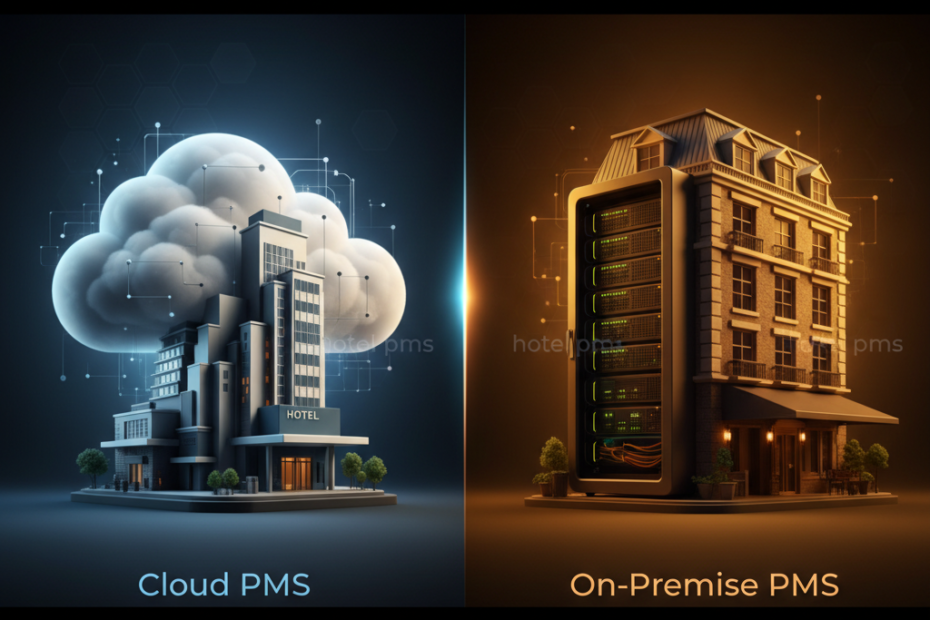
But painting a deterministic or prescriptive picture of the “best fit” PMS doesn’t do justice to the nuance of actual operations. Technology is a living thing, always evolving, and just about any hotel system worth its salt will offer certain necessities that are sure to benefit your operations. So, when you take a step back and look at the bigger picture, the truth is: the decision of cloud vs. on-premise is a hell of a lot less strategic than what you’ll read in vendor marketing powerpoints. How your PMS works though, now that’s where the rubber hits the road.
Understanding Hotel PMS Technology
A hotel PMS is the central nervous system of your property. This software takes care of reservations, guest check-ins/outs, room assignment, room rates, billing, invoicing, and housekeeping. In essence, it oversees and facilitates the smooth running of all your property’s operational departments. A PMS that is open to integrating with other systems, such as a channel manager, a booking engine, or a revenue management tool, is key for those seeking to automate and streamline their processes. In the long run, manual and double entry of data will decrease the efficiency of your property.
Cloud PMS: The Modern Approach
Are these high-tech systems right for your property? What do you need to consider before making the switch and diving into a whole new world of near and distant possibilities? I know exactly what you’re thinking, we don’t have the resources to replace our current PMS with one that sounds this fancy and expensive. But cost concerns aside (for just a minute), let’s break down some basics and explore what your property could probably gain from a cloud-based PMS.
How does a subscription-based pricing model sound for a property management system? It’s familiar. Just like your cable or streaming services. It’s predictable. You know what you’re paying each month, no surprises. It’s convenient. Payments automatically process so there’s no invoicing. It’s stress-free. Automatic updates ensure you’re always running the most recent version. It’s scalable. Pay for only the rooms you need now, add them as you grow. It’s secure. Your data is housed with the same professional-grade security and back-up systems as those used by major financial institutions.
On-Premise PMS: The Traditional Choice
What is meant by “on-premise systems”? This may sound like a mouthful but basically, we’re talking about software that you buy and then install and run on your own computers on the property you own. Does that sound a bit like time travel? It’s not! It’s actually a sensible solution for businesses with a well-funded, highly competent IT department who want and need total control and autonomy over all their product and guest data. At all times, some of these servers are still churning away in basements around the world (literally and metaphorically).
Pros: In-house systems are as flexible as you want them to be and you own the data. Cons: If the system goes down, there’s only one place to look: at your team. You bear the entire support cost compared to economies of scale benefits when dozens or hundreds of companies share a single vendor’s maintenance and support team. Backups, disaster recovery, and cybersecurity are 100% your team’s responsibility.
Comparing Total Cost of Ownership
On-site PMS requires thousands in upfront licensing fees for a 50-room property and a $200 to $250 monthly support contract. Every five or so years, you will also need to make new license, support, and maintenance payments. This results in the same $5,000 to $10,000 expense for server and computer replacements discussed above. However, you pay in four- to five-year cycles instead of a little each month. Both approaches carry roughly similar price tags.
On-premise systems do require larger initial capital investments. For a typical 50-room property, these license fees can vary from $15,000 to $40,000. Then there’s server hardware, which averages from $5,000 to $15,000; installation and training, which typically costs $3,000 to $8,000; and annual maintenance contracts, which generally run 15% to 20% of the license cost. Over five years, total ownership costs often exceed $40,000 to $70,000. If you can initially invest that money, ongoing expenses decrease , at least until you need to upgrade or replace your system.
Weighing the Pros and Cons
Freedom and flexibility to connect with your system, guests, or staff, anytime and from anywhere are no longer a luxury. Whether you have a delayed arrival and need to check in on a stormy night, are planning an off-season campaign from a trade show, or quickly have to respond to a natural or health crisis, this is the bedrock requirement for any modern hotel. Do you find this useful, really efficient, though?
The cost of acquiring hardware, licenses, and services to get up and running can be prohibitive, as can the budget impact of ongoing maintenance fees and needed upgrades. Depending on size, industry, and numerous other variables, the breadth of features isn’t as extensive across the board, though that should only factor highly in your decision if you’re looking for more than just a complete workforce management suite.
Making Your Decision
What system is best for your property? That’s a tough question that every owner or operator has to ask themselves, It is similar to the two sides of the coin. A cloud vendor will charge an annual fee for service that will continue for as long as you operate the system; an on-premise solution requires a significant upfront investment for licenses, installation, and training but then only a much smaller ongoing fee for support. Large chains typically have the technical staff to manage an on-premise solution and therefore the advantages of greater overall control, flexibility, and lower cost. Most independent operators, small groups, and casinos do not have the luxury of dedicated technical resources. The beauty of the cloud solution is that the services and support are all included in the monthly subscription. Which is better? It probably depends; what must be kept in mind is that the total cost to acquire and operate any technology solution over time is the most important factor because, face it, if you can’t afford it then all the advantages it offers are meaningless.
How do you view your internet reliability? Be honest. There’s no shame if Youtube stalls every other evening at your house. It’s annoying, but nothing more. For some businesses, however, it means caution regarding a total reliance on the cloud. Remote locales and areas with shaky connections have occasional outages as a simple fact of life. You might also have a short timeline for growth and rather not invest in a complete system upgrade now. In these cases, the “place it in the cloud” approach may not be optimum.